Attendance, shifts and payroll in one place
WorkTre helps growing businesses track time, schedule shifts, approve requests and run payroll, whether your people work in an office, across several branches, out in the field or from home.
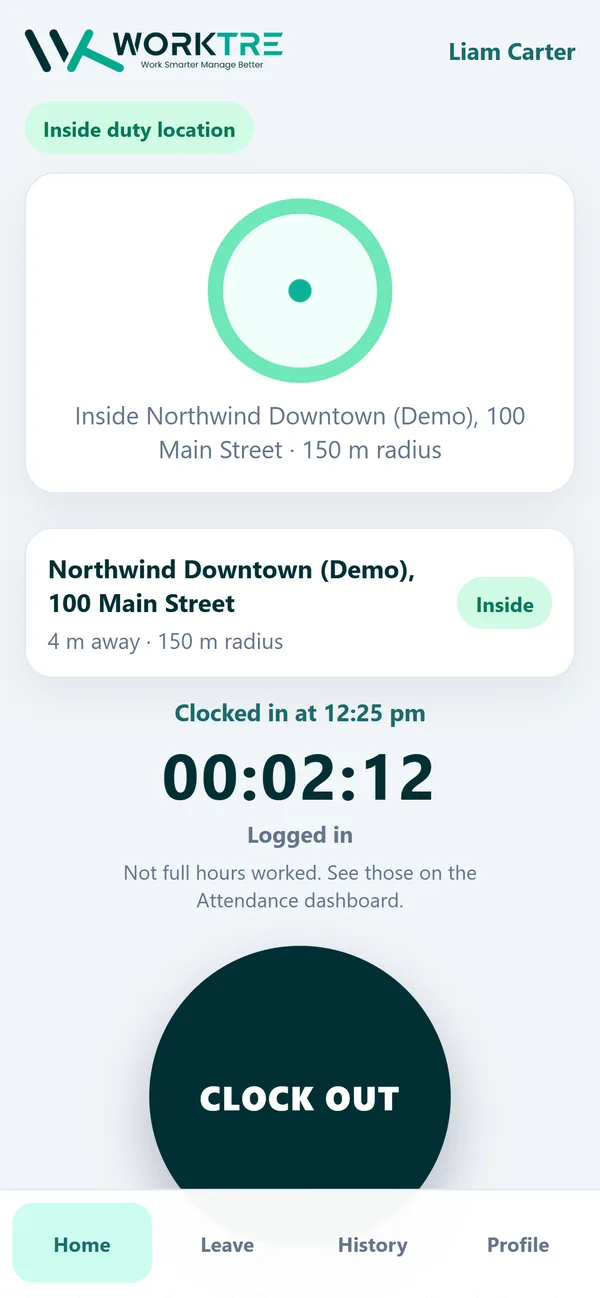
Web admin panel, Windows desktop app and a phone clock-in app for field staff.

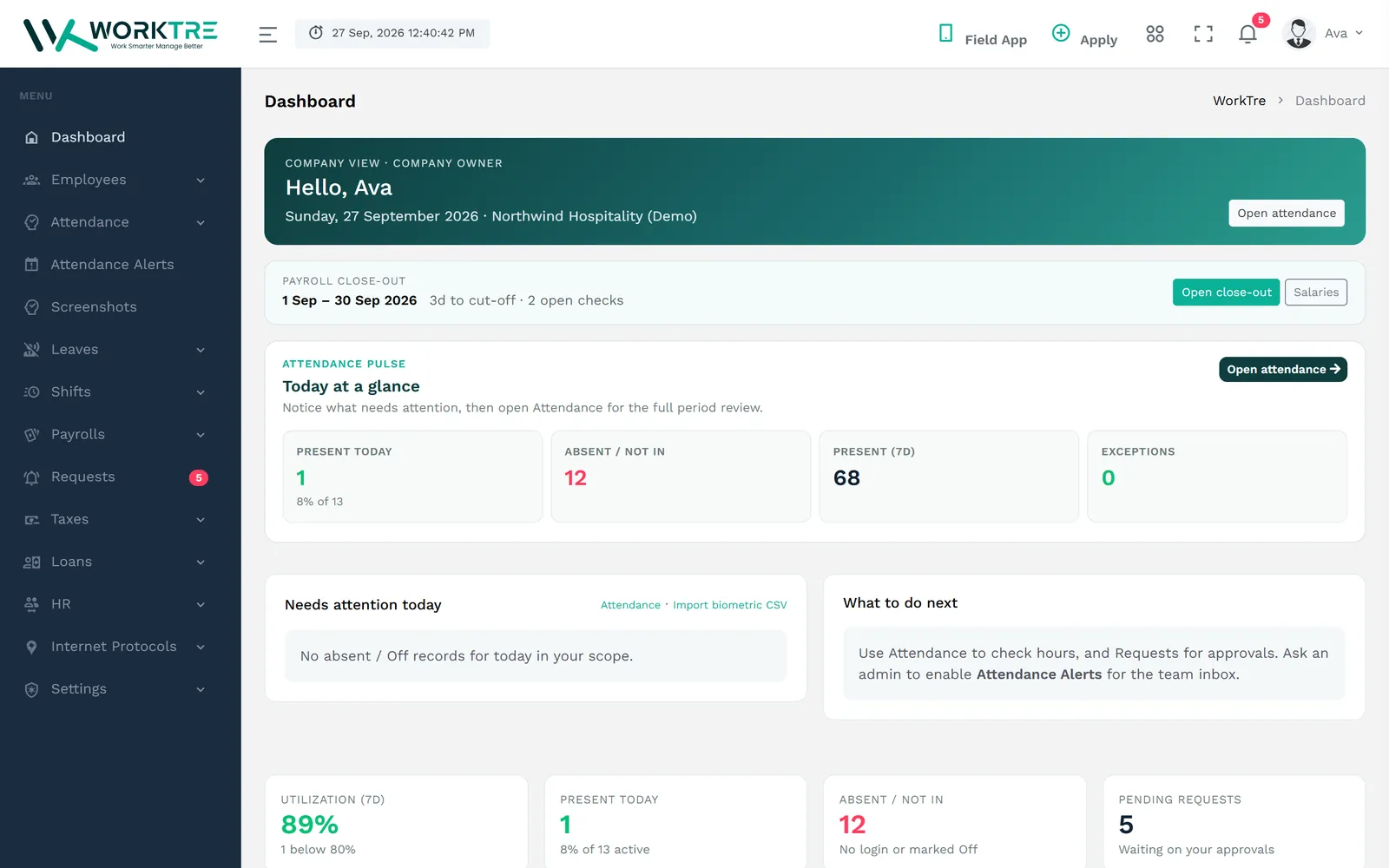
Everything your HR and operations team runs every day
- AttendanceDesktop app, phone app or biometric device import
- Shifts & schedulesShift rules, schedules, changes and swaps
- PayrollConfigurable tax slabs, payslips and bank payment files
- Requests & approvalsLeave, overtime, attendance corrections and more
- Multi-branch operationsLabor cost against sales, outlet by outlet
See WorkTre in action
A short look at attendance, the field app, approvals and payroll — in one place.
Why teams choose WorkTre
Less re-keying, fewer spreadsheets and clearer approvals
One connected system
Employee records, attendance, leave and payroll live in the same place, so you are not copying data between separate tools.
Fewer spreadsheets
Import employees and biometric punches from CSV files, and export payroll and bank payment files when you need them.
Clear approvals
Leave, overtime, attendance corrections and shift changes go to the right manager for approval instead of getting lost in chat and email.
Works where your team works
Office staff use the desktop app, field staff clock in from their phones, and managers review everything in the web panel.
Configurable payroll rules
Tax slabs and statutory contributions are set up as configuration, so payroll can follow the rules that apply to your business.
Reports you can act on
Attendance, leave, overtime, shift and payroll reports give managers a clear view of hours and labor cost.
Powerful features
The tools your HR, payroll and operations teams use every day
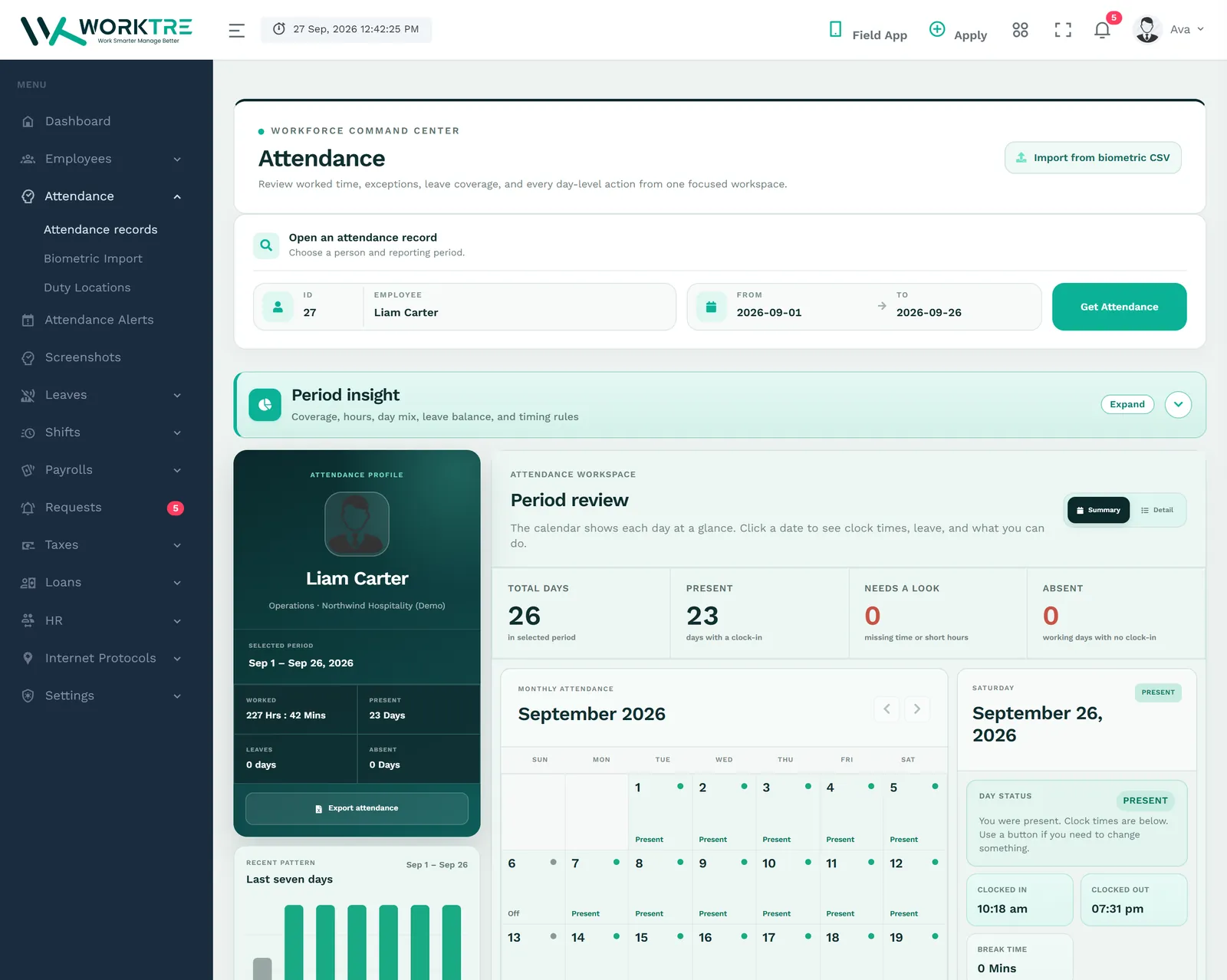
Attendance & time tracking
- Clock in from the desktop app or the phone app
- Fingerprint/biometric machine CSV import
- Breaks, overtime and attendance correction requests
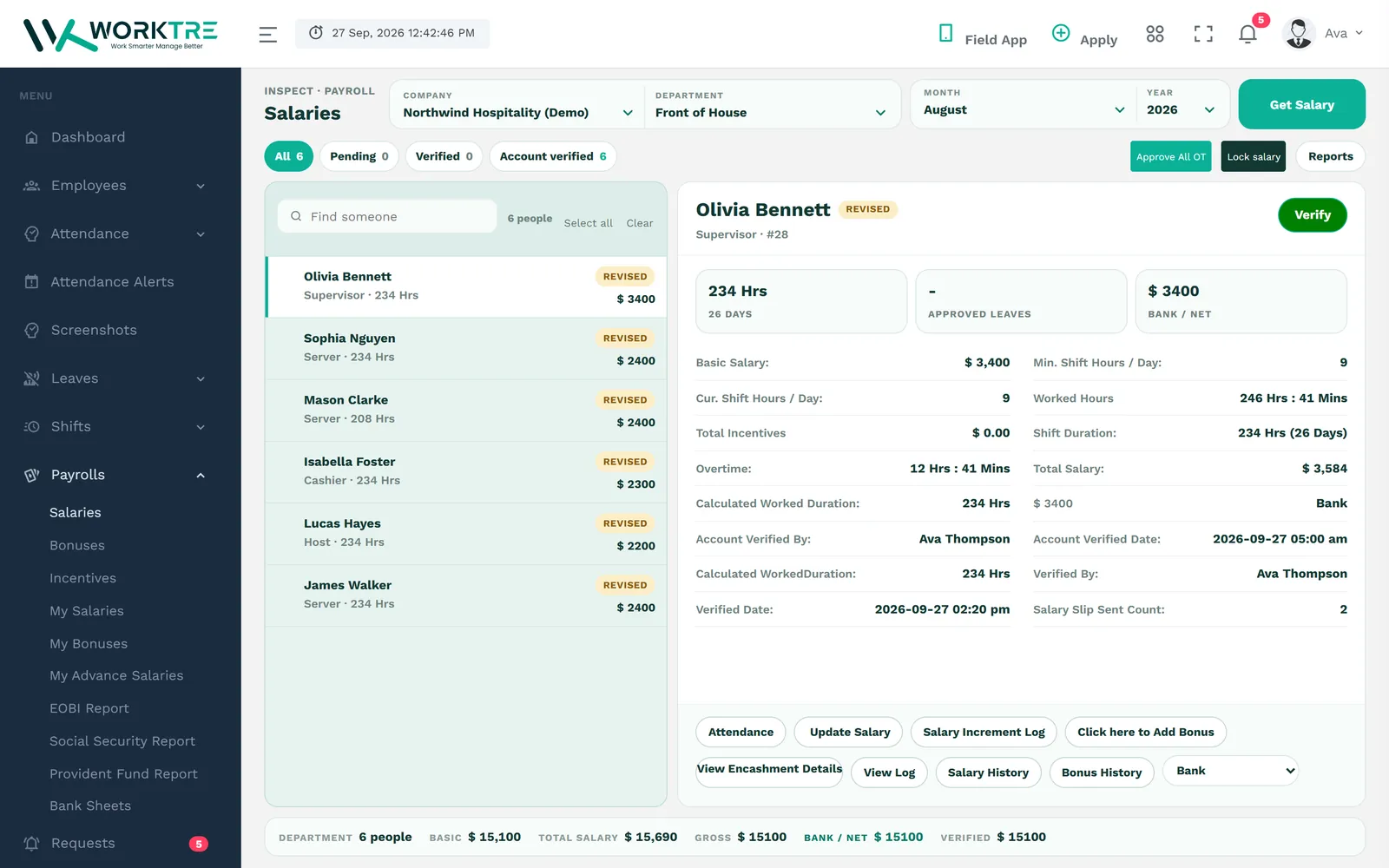
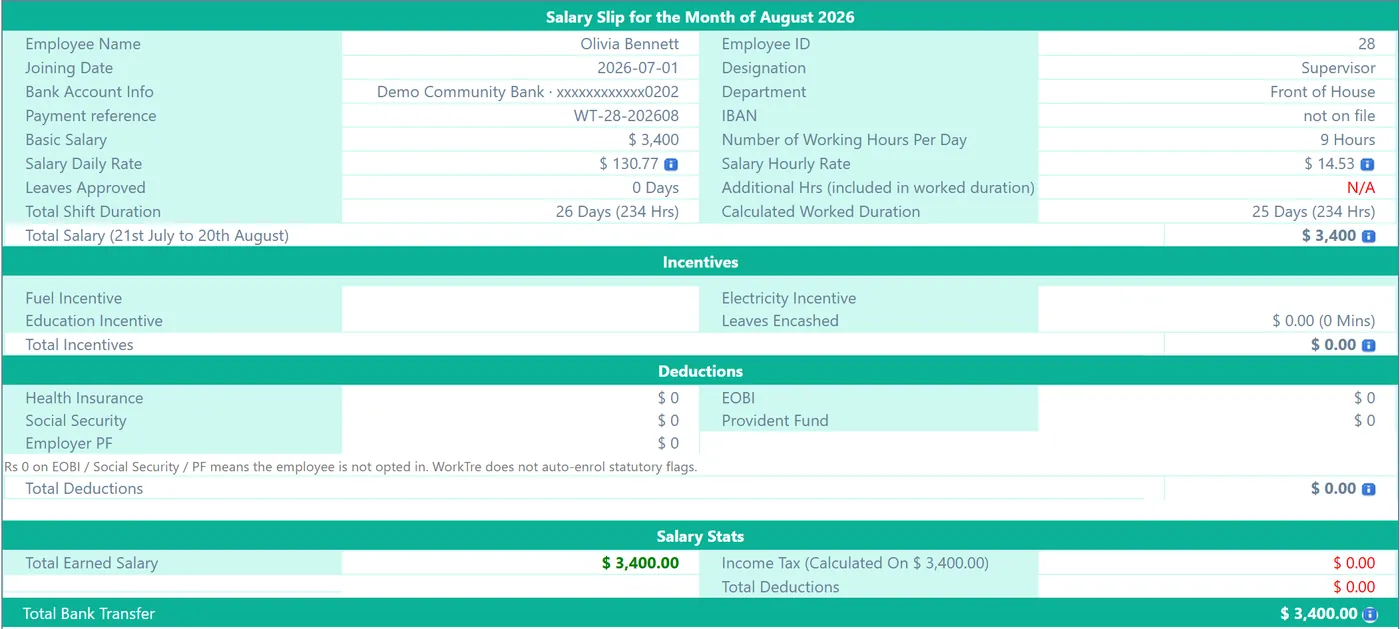
Payroll
- Configurable tax slabs and statutory contributions
- Payslips, bonuses, loans and salary advances
- Bank payment files for bulk salary transfers
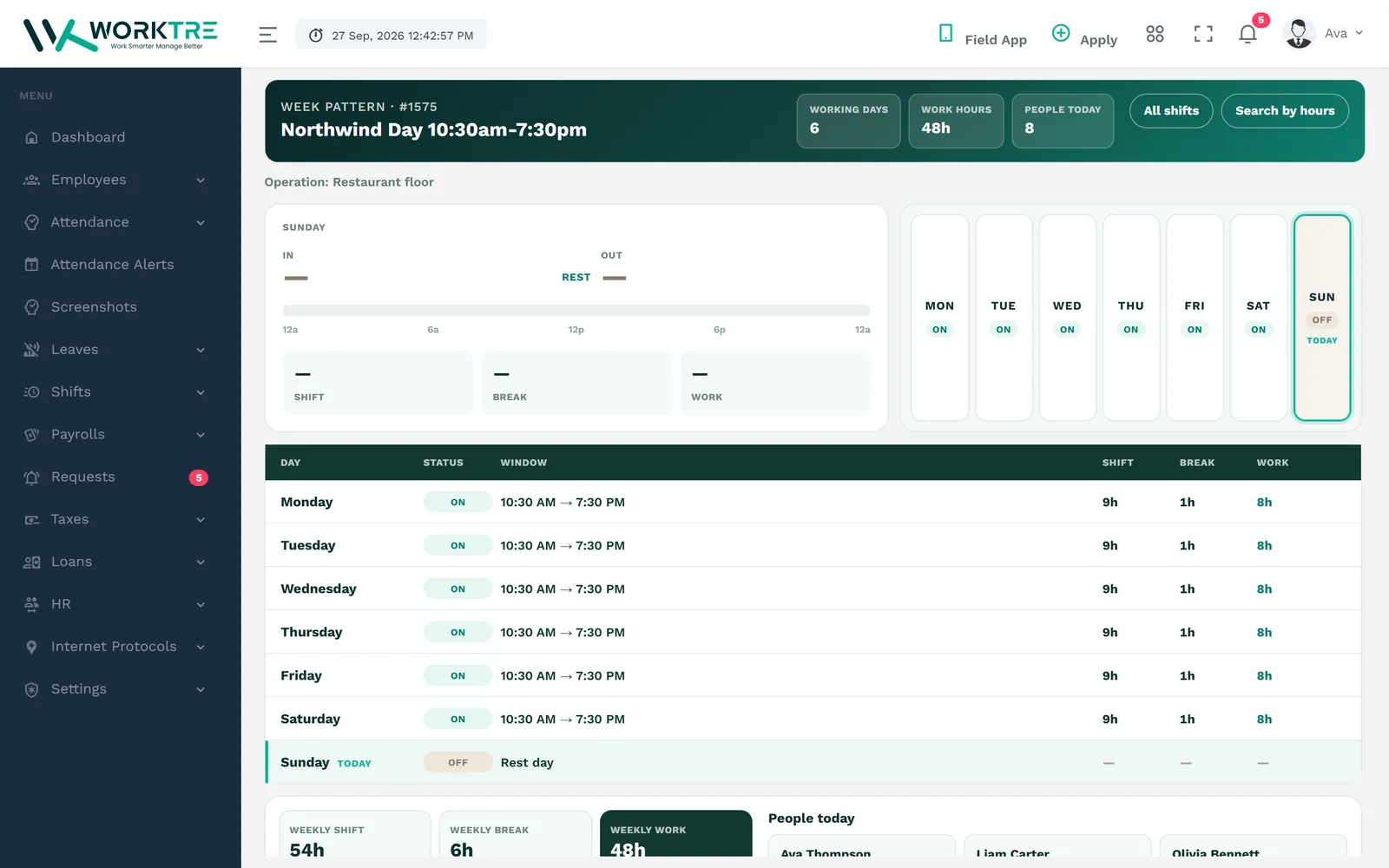
Shifts & schedules
- Define shifts with time-in and time-out rules
- Employee shift schedules
- Shift change requests and shift swaps
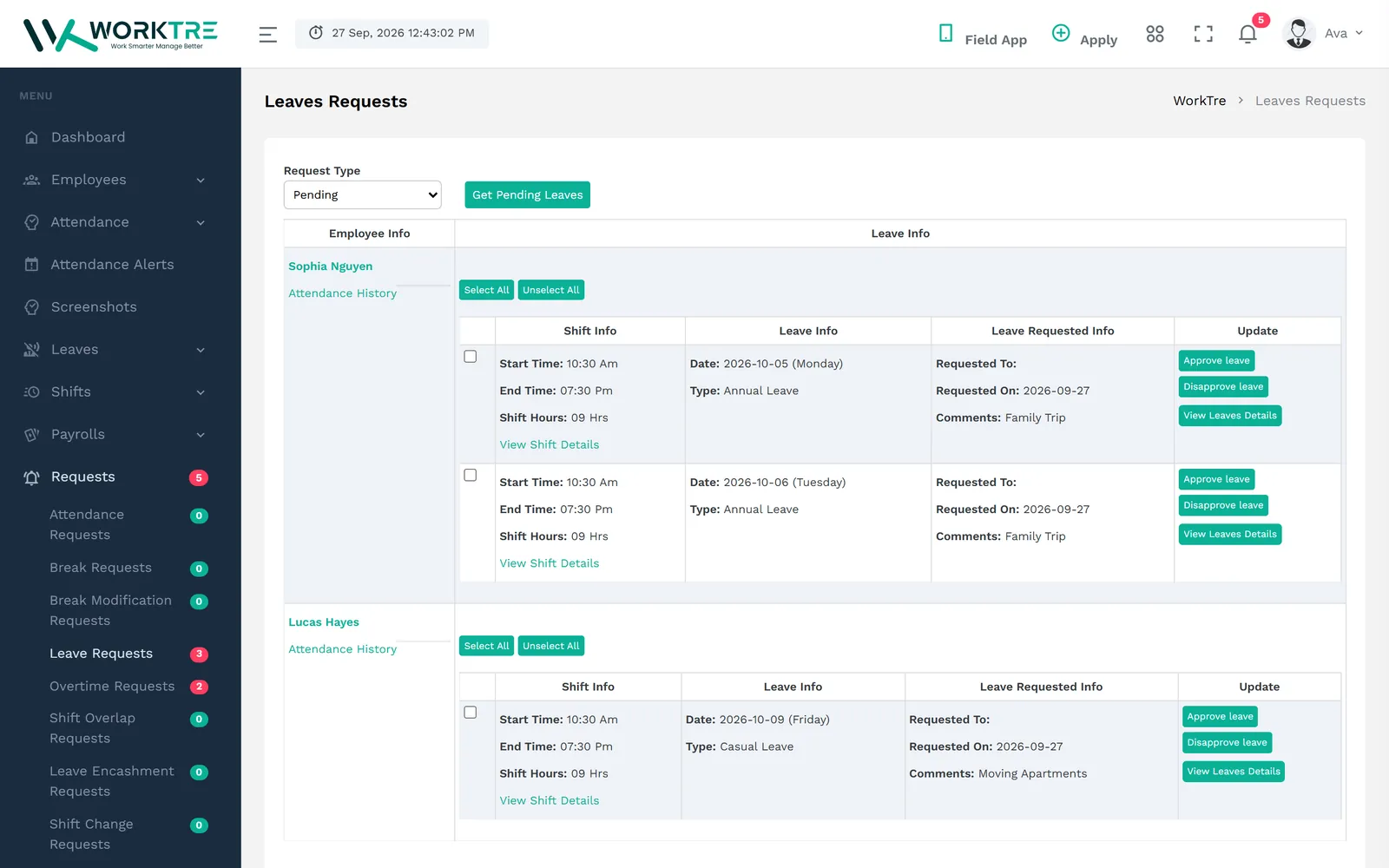
Requests & approvals
- Leave and time-off requests
- Overtime, attendance and shift change approvals
- Expense claims
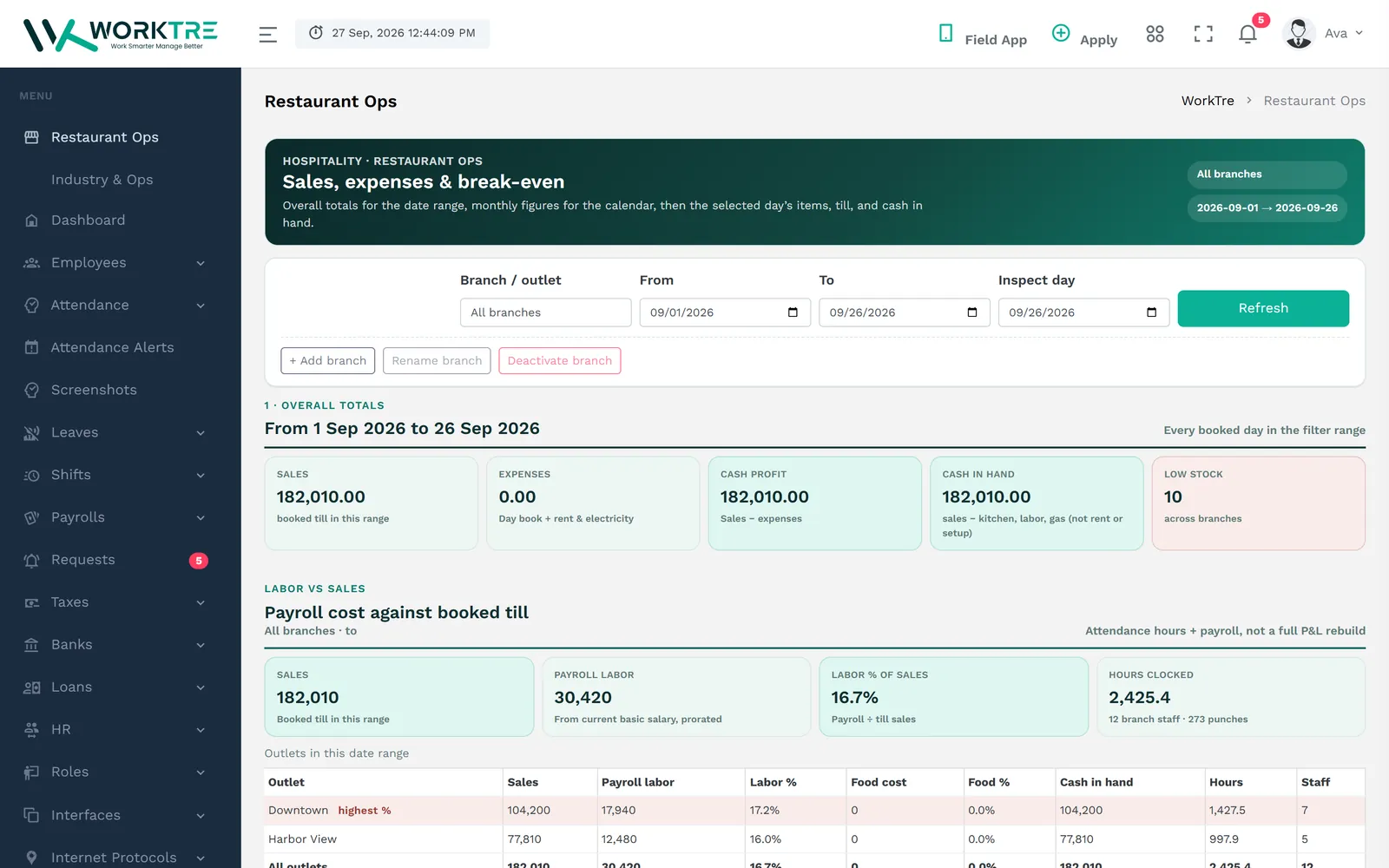
Multi-branch & restaurants
- Manage several outlets or branches
- Labor cost vs. sales for each outlet
- Side-by-side outlet comparison
Screenshots show a demo company with made-up sample data.
Employee records
- Employee profiles, departments and designations
- Bulk employee import from a spreadsheet (CSV)
- Preview and check the import before it is saved
Desktop app
- Windows app for office and remote staff
- Clock in, clock out and take breaks from the computer
- Same account as the web panel
Reports & analytics
- Manager dashboard
- Attendance, leave, overtime and shift reports
- Payroll and bank reports with CSV export
More modules
- Expense management and budgets
- Recruitment: requisitions, candidates and interviews
- Training records and performance evaluations
WorkTre Field app
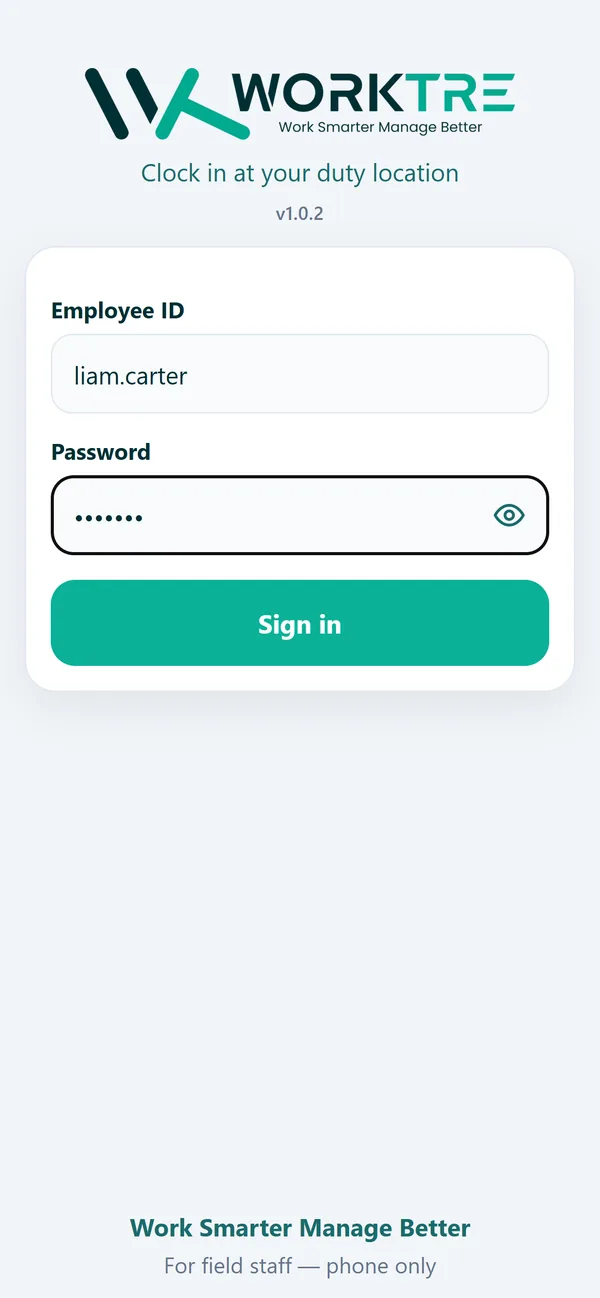
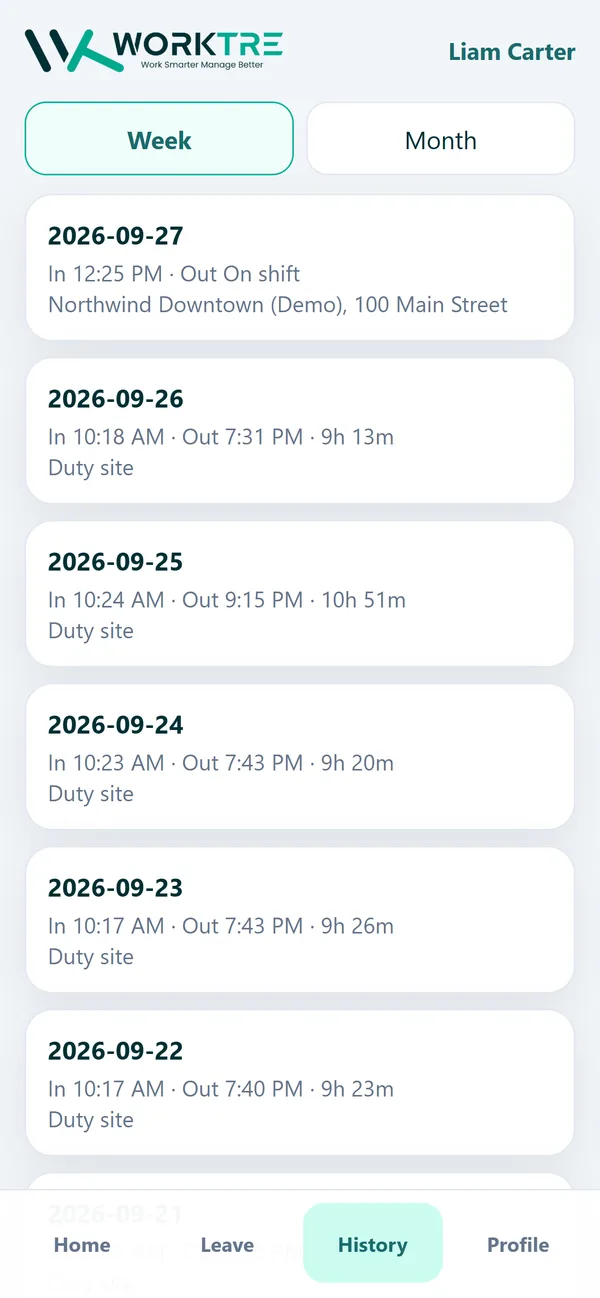
For staff who don't sit at a desk. Team members clock in from their own phone at the work site they are assigned to, and WorkTre checks their location against that site before it records the punch.
- Clock in and out at an assigned work site, with a location check
- Installs from a link or QR code, with no app store needed
- Works on Android and iPhone
- Punches appear in the same attendance records managers already use

Security & privacy
Sensible controls for employee and payroll data
Served over HTTPS
Your team connects to WorkTre over an encrypted HTTPS connection.
Role-based permissions
Roles control which screens and actions each person can use, so staff, managers and payroll admins see only what they need.
Your data stays yours
Export payroll, bank payment and statutory report data to CSV whenever you need it.
Simple pricing
Prices in USD, per user per month, billed annually
Basic
Billed annually
- Up to 25 users
- Employee records and bulk import
- Attendance: desktop app, Field app and biometric CSV import
- Shifts and schedules
- Leave and time-off requests
- Standard reports
- Email support
Standard
Billed annually
- Everything in Basic, plus:
- Up to 100 users
- Payroll with configurable tax slabs and statutory contributions
- Payslips and bank payment files
- Overtime, loans and salary advances
- Approvals for overtime, attendance corrections and shift changes
- Priority email support
Premium
Billed annually
- Everything in Standard, plus:
- Unlimited users
- Multi-branch and restaurant operations
- Labor cost vs. sales and outlet comparison
- Expenses, recruitment and training modules
- Advanced reports and analytics
- Priority support
Need a custom plan for a larger organization?
Contact us for custom pricingReady to simplify workforce management?
Set up your company, add your team and start tracking attendance and payroll in one place.
Get in touch
Questions, a demo, or help choosing a plan? Send us a message.